Update (2026): Bài viết từ năm 2020. Antigen không còn được phát triển tích cực, và powerlevel10k hiện chỉ được bảo trì ở mức tối thiểu. Hướng dẫn vẫn dùng được, nhưng bạn có thể cân nhắc các plugin manager còn hoạt động như antidote hoặc zinit, hoặc prompt khác như starship.
Bước 0: cài đặt zsh
zsh tương tự bash shell.
sudo apt-get update && sudo apt install zshBước 1: cài đặt oh-my-zsh
sh -c "$(wget https://raw.githubusercontent.com/ohmyzsh/ohmyzsh/master/tools/install.sh -O -)"Bước 2: cài đặt powerlevel10k
Nếu bạn không rành, nên bỏ qua bước 2 và chỉ làm bước 3, 4, vì bước 4.1 sẽ cài luôn powerlevel10k. Nếu bạn không muốn cài antigen (bước 3) thì làm bước 2, sau đó gõ p10k configure và làm theo hướng dẫn.
git clone --depth=1 https://github.com/romkatv/powerlevel10k.git ${ZSH_CUSTOM:-$HOME/.oh-my-zsh/custom}/themes/powerlevel10kBước 3: cài đặt antigen
Mình lưu thẳng vào ~/.oh-my-zsh cho tiện:
curl -L git.io/antigen > antigen.zsh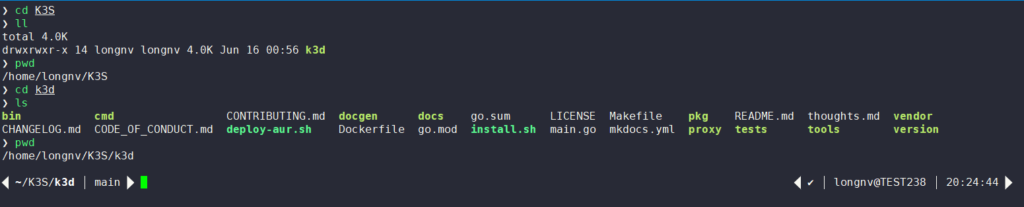
Bước 4: cấu hình antigen và cài thêm plugin (optional)
4.1 Tạo file ~/.antigenrc với nội dung sau
# Load oh-my-zsh library.
antigen use oh-my-zsh

# Load bundles from the default repo (oh-my-zsh).
antigen bundle git
antigen bundle command-not-found
antigen bundle docker

# Load bundles from external repos.
antigen bundle zsh-users/zsh-completions
antigen bundle zsh-users/zsh-autosuggestions
antigen bundle zsh-users/zsh-syntax-highlighting
antigen bundle zsh-users/zsh-history-substring-search

# Select theme.
antigen theme romkatv/powerlevel10k

# Tell Antigen that you're done.
antigen apply
4.2 Cấu hình ~/.zshrc để kích hoạt antigen
source ~/.oh-my-zsh/antigen.zsh
antigen init ~/.antigenrc
4.3 Đổi color scheme cho đẹp
- macOS: lysyi3m/macos-terminal-themes
- Xshell: netsarang/Xshell-ColorScheme
Bên dưới mình dùng scheme Dracula_Reborn.
Thành quả
Lưu ý: bạn phải thoát ra và vào lại shell.
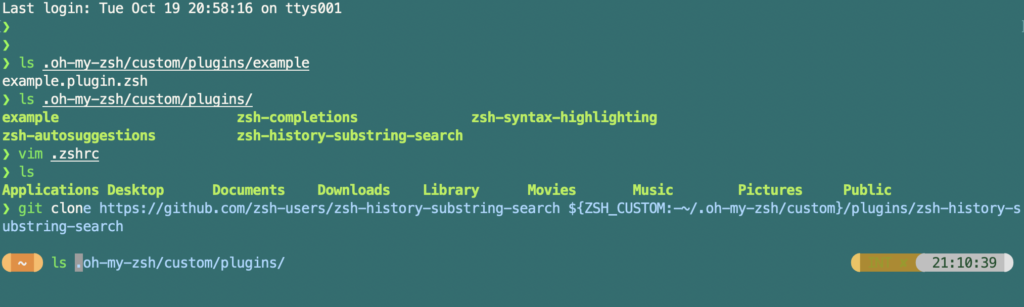
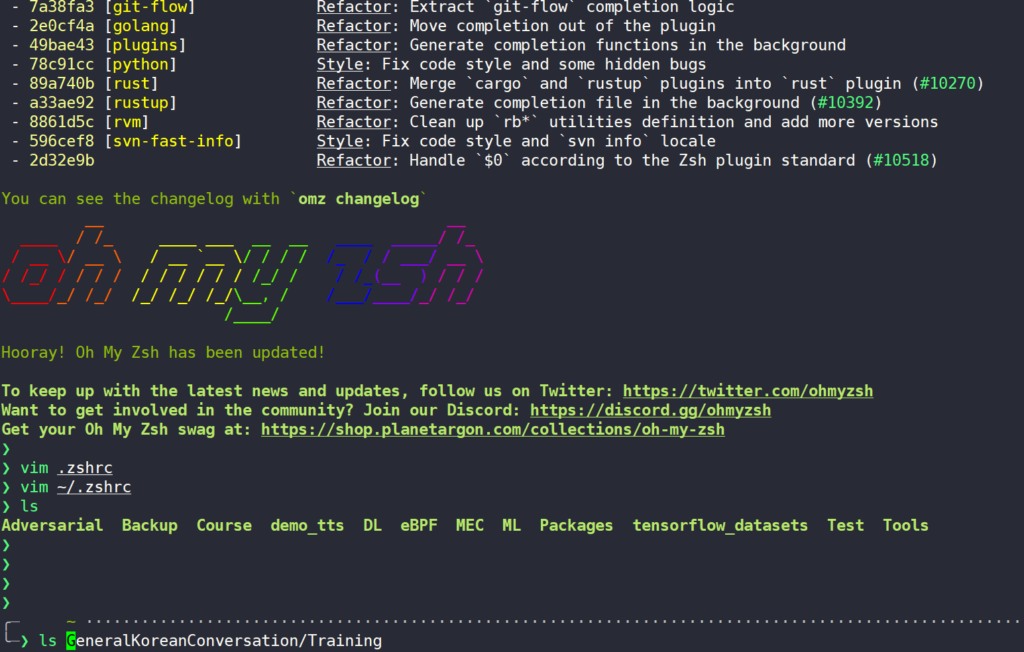
Thông tin thêm
- shell: bash, zsh, ...
- theme: agnoster, gentoo, ...
- plugin manager (khỏi phải git clone tay): antigen
Links:
- https://ohmyz.sh/
- https://github.com/zsh-users/zsh-autosuggestions/blob/master/INSTALL.md
- https://github.com/zsh-users/antigen
- https://levelup.gitconnected.com/zsh-antigen-oh-my-zsh-a-beautiful-powerful-robust-shell-ca5873821671
Lỗi font ở theme Agnoster: cài powerline/fonts.
À không liên quan: khi dùng conda mà không init được thì nhớ thêm tên shell vào cuối (ví dụ conda init zsh).
zsh dùng cho Linux/macOS; trên Windows thì có oh-my-posh, một prompt theming engine cho PowerShell.